Case Management: A Traceable Process from Negative Experience to Resolution
Negative experiences become cases with an assigned owner and resolution time. A case not resolved in time is escalated to the next level, up to three levels.

- Real-Time Feedback Stream
- New feedback reaches your team the moment it arrives.
- Tiered Escalation
- A case not resolved in time is escalated to the next level, up to three levels.
- Resolution Satisfaction Measurement
- After the case is closed, the customer receives a short survey and the quality of the resolution is measured.
Case management
Ownership, Time and Records in One Place
Cases are assigned to the right person, prioritized and tracked against a resolution time. On closing, the action taken and the closure code are recorded, and reports show which actions worked.
- New, in progress and resolved statuses
- Normal, high and critical priority
- Remaining and overdue time indicator
- Internal team notes and case history
- Email replies to customers from the panel

Resolution satisfaction
The Quality of the Resolution Is Measured
After the case is closed, the customer receives a short resolution satisfaction survey. If the feedback is negative, the case is reopened and its owner is notified.
- Configurable sending time and channel
- No sending during quiet hours
- Anonymous responses and responses without contact details are excluded

Mobile panel
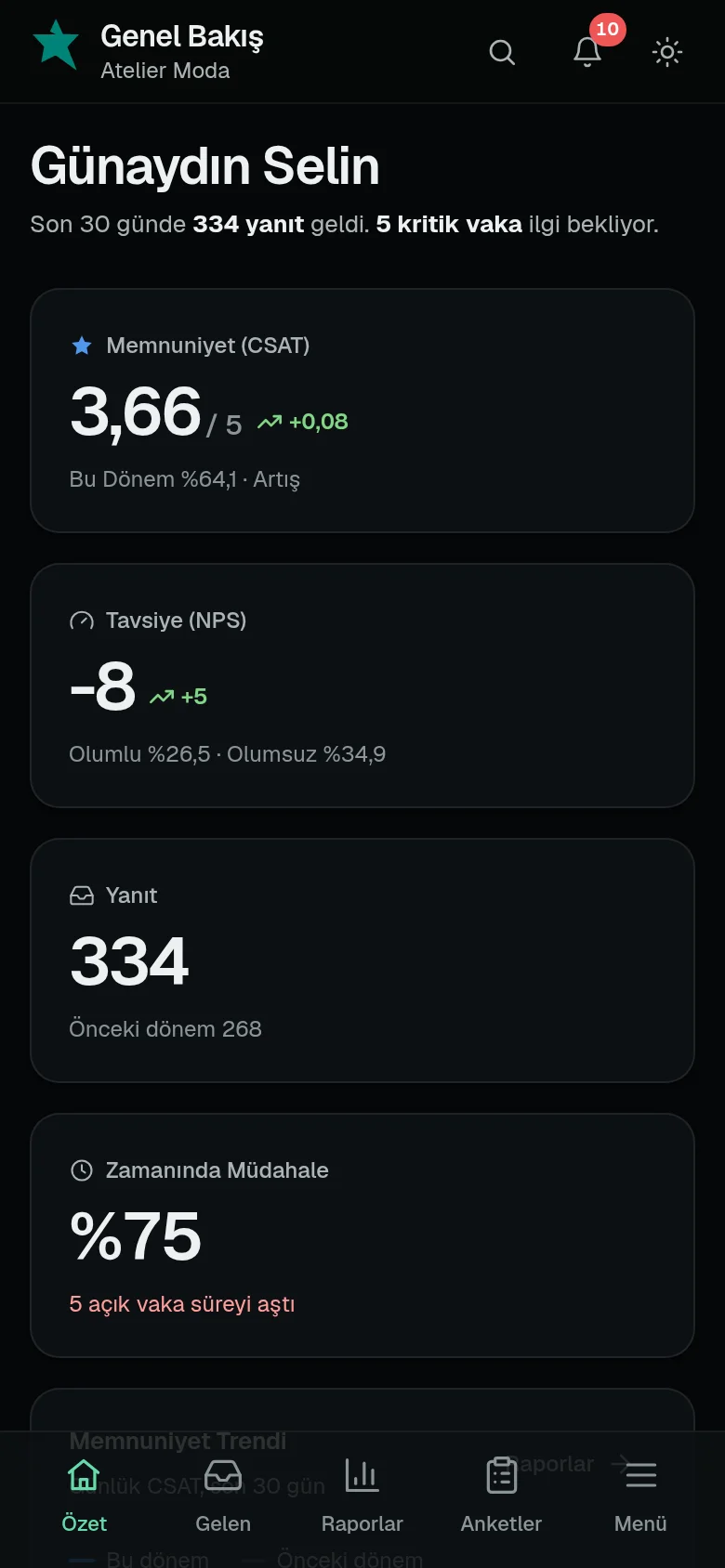
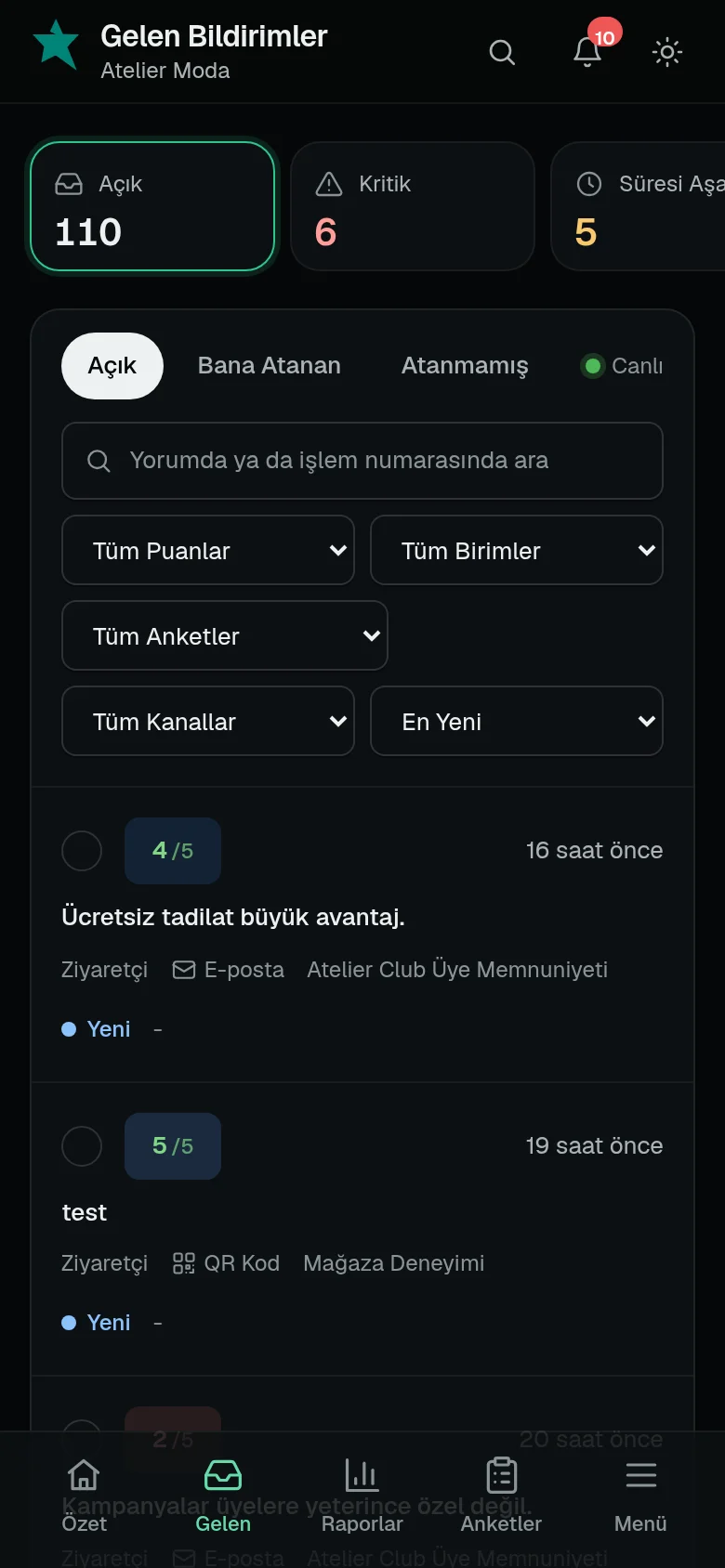
Uninterrupted Case Tracking on Mobile
The panel can be added to a phone as an app. Critical cases, overdue deadlines and negative resolution feedback are delivered as instant notifications.
Capabilities
- Open, Assigned to Me, Unassigned, Critical, Resolved and Suspicious views
- Score, unit, survey and channel filters
- Search in comments and transaction numbers
- Mobile notifications, alert emails and panel notifications
- Weekly summary email
Frequently Asked Questions
When does the resolution time start?
It starts the moment the response is received. The time is set by the alert rule; when it is exceeded, the case is escalated to the next level and the time restarts, up to three levels.
Which cases can users see?
Each user sees only the cases of the units and sub-units they are authorized for.
Can I receive mobile notifications?
The panel can be added to a phone as an app; critical and escalated cases arrive on your phone as notifications.
Related guides
- Fundamentals What Is Customer Experience Management (CXM)? Customer experience management (CXM) means measuring every touchpoint, resolving issues and improving the experience. Scope, components and CRM differences.
- Process What Is Closed-Loop Feedback and How Do You Set It Up? Closed-loop feedback ensures customers with a negative experience are followed up and the issue is fixed at its source. Inner and outer loop, steps and metrics.
- Online Reputation How to Respond to Google Reviews How to respond to Google Business Profile reviews: sample replies to positive and negative reviews, response time, personal data and Google policies.